Velo: helping first-time riders trust a car with no driver
Filip Ćorić · UI/UX Designer
Project
Personal project, end to end
My role
Market research, UX/UI design, prototype
Platform
iOS
Tools
Figma
Skip
It sees every direction at once, day and night
Cameras and sensors track people, bikes and cars up to 300 yards away.
Next
Hello reader,
Would you get into a taxi with no one behind the wheel? Robotaxis already carry paying passengers in a few cities, and for most people the first ride is the hardest one. There is no driver to confirm the address, help with a bag or explain a sudden stop.
Velo is my personal project. I wanted to design an iOS app that gives first-time riders enough confidence to book a self-driving car and stay calm during the ride, including people who use a wheelchair and people who are blind. In this case study I will show you how I got there.
01 · The problem
The car drives itself. The rider is on their own.
A driver does more than drive. While mapping a robotaxi trip from booking to drop-off, I kept coming back to four moments where the missing driver is felt the most:
01
No one to ask
Every answer a driver used to give now has to come from the app.
02
Which car is mine?
Without a driver waving, finding the right car at a busy curb is a guess.
03
Why did it do that?
A sudden stop or a slow turn feels scary when nobody explains it.
04
What if something goes wrong?
Riders need a way out: a safe stop, a real person, or the end of the ride.
Two groups lose the most when the driver disappears. Wheelchair users relied on the driver for the ramp and the straps, and blind riders relied on the driver to find them at the curb.
02 · Research
Learning what riders are offered today
This is a personal project, so I did not run interviews. Instead I studied how self-driving rides work today and what similar apps give their riders. I looked at three kinds of products:
01 · Robotaxi apps
Book, unlock and ride. Most of them assume the rider already trusts the car.
02 · Ride-hailing apps
Fast booking and a clear pickup, but help during the ride still comes from the driver.
03 · iOS accessibility
VoiceOver and Voice Control show what blind and low-vision users already expect from any app.
From this I wrote three goals that every screen had to pass:
Confident at every step
The app explains what is happening before the rider has to ask.
Help is one tap away
A real person, a safe stop and a way out on every ride screen.
Works for every rider
Wheelchair users and blind riders get the same flow, not a separate app.
03 · Who it is for
Meet Ana
Velo is made for people who use ride-hailing often but have never ridden without a driver. They are curious, a little nervous, and they want to know what the car is doing. I gathered these traits into one persona.
Ana Miller
38 · San Francisco · Accountant
About
Rides to work and back a few times a week. Has never been in a car without a driver. Her sister Mia gets her trip updates.
Goals
Get a ride without driving. Know which car is hers and what it is doing. Reach a person fast if something feels wrong.
Frustrations
Not knowing what happens if the car stops in traffic. Apps that hide help behind menus. Long safety text nobody reads.
04 · Structure
87 screens in eight flows
Before drawing any UI, I mapped every screen and every path between them. The main path runs from onboarding to arrival. Support, account and voice mode sit around it, together with the states nobody plans for, like a car that was just taken or a phone with no signal.
Onboarding
22 screens
Welcome
Sign in
Permissions
Ride needs
Trusted contact
Practice ride
Booking
17 screens
Home
Pickup spot
Choose ride
Payment
Schedule
Meeting the car
16 screens
Finding a car
On the way
Spot your car
Unlock
Before we go
The ride
12 screens
Riding
Slowing down
Controls
Pull over
Emergency stop
Arrival
2 screens
Ride complete
Rate
Support
4 screens
Help
Phone died
Chat
Call
Account
7 screens
Activity
Saved places
Accessibility
Trusted contacts
Voice mode
7 screens
Voice offer
Book by voice
Guide to car
Ride and arrive
Main path
Around the main path
Opens when VoiceOver is on
05 · Key decisions
How the app answers each problem
Practice before the first real ride
Onboarding shows what the car sees, then offers a short practice ride on the map. The rider learns how the car signals a stop, where support is and how to end the ride before any car arrives.
Skip
Pause the ride
Pulls over at a safe spot
Talk to a person
Answers in under a minute
Emergency stop
Hold for 2 seconds
Help is always one tap away
Real people at Velo Support are on call 24/7, on every ride.
Get started
Know what to expect on your first ride
See what happens on a real ride, without leaving your couch.
60 seconds · No car needed
Request a ride
Pick where you're going
Meet your car
Spot it, unlock it, get in
Ride along
Learn what each update means
Arrive
Step out on the safe side
Start practice ride
Maybe later
I'm slowing down
A cyclist is ahead. Giving them room.
TIP 3 OF 4
I tell you when plans change
If I slow down, stop or reroute, you see why right here.
Practice mode
Previous
Next tip
What the car sees, the practice ride intro and a practice tip.
Booking with no surprises
Home starts with saved places. The app suggests an exact pickup spot the car can reach, shows the full price before the request and lets the rider choose the car size.
A
Good evening, Ana
Where to?
Schedule
Home
1420 Valencia St
14 min
Work
535 Mission St
22 min
Your first ride is free, up to $20
Ride
Activity
Support
Account
Car stops here
1
2
3
Where should the car stop?
All spots are safe to get in.
1
18th St & Valencia, east curb
40 ft walk · Recommended
2
Valencia St, west side
120 ft walk · No street to cross
3
In front of 1420 Valencia
60 ft walk
Confirm pickup
Choose your ride
Velo
4 seats
Free
$14.20 · 3 min
Velo XL
6 seats · room for everyone
$19.80
6 min
Velo XXL
Biggest trunk · 6 suitcases
$23.60
8 min
Need a wheelchair-ready car?
Pay
Apple Pay
Request Velo
Home, the pickup spot and choosing a ride.
Meeting a car with no driver
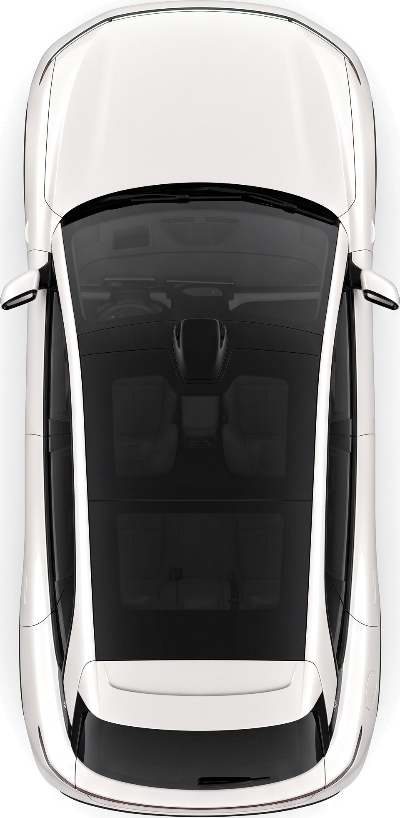
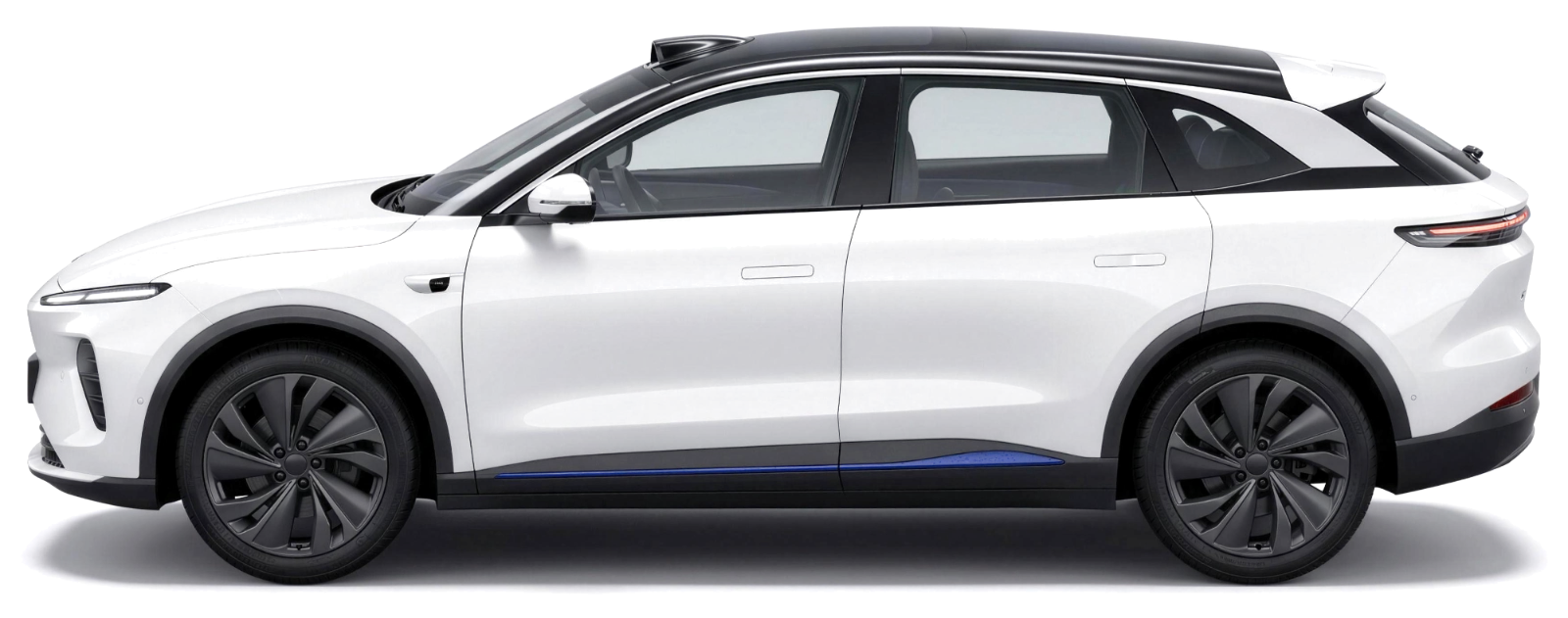
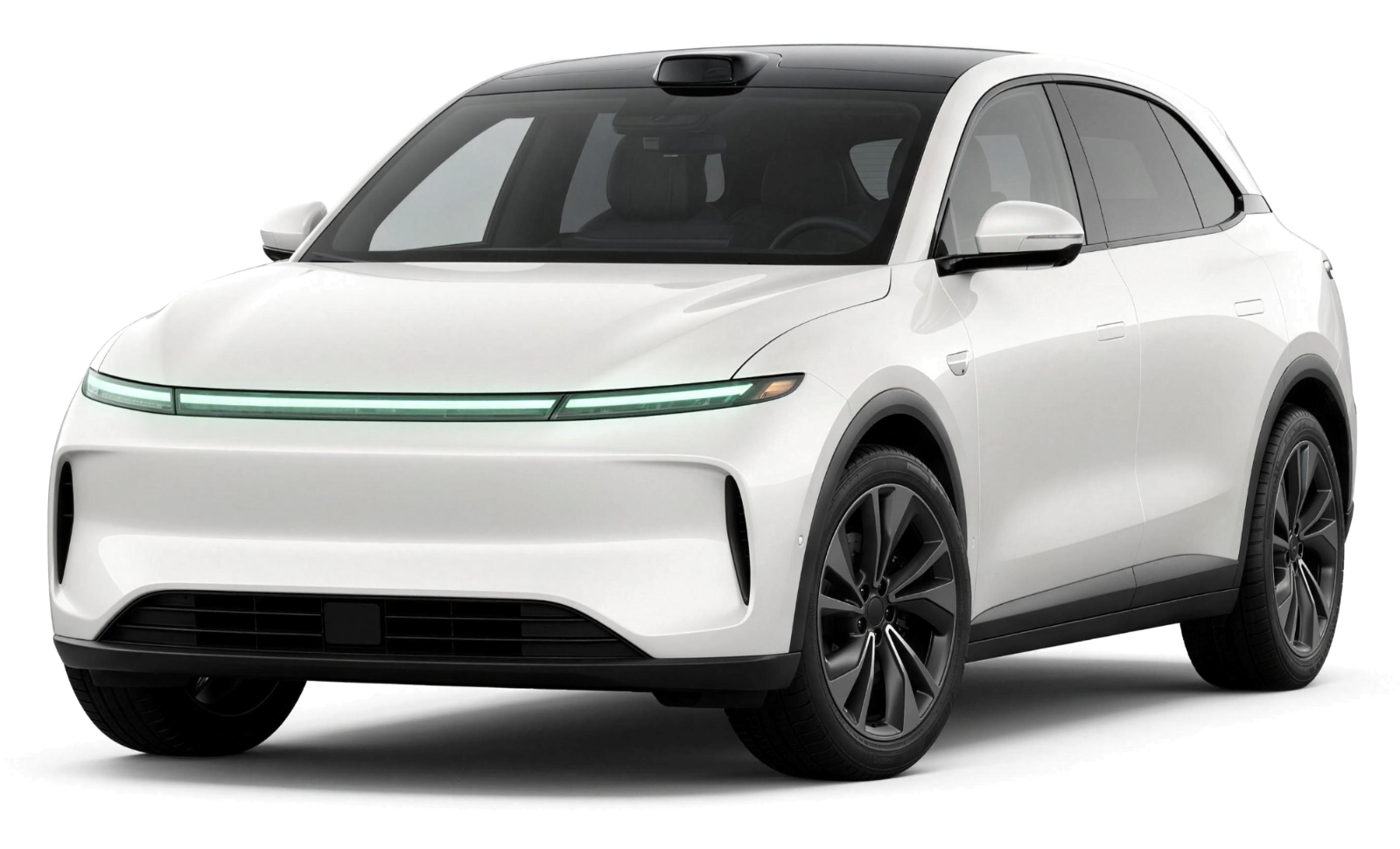
A real photo of the car, the plate and a mint roof light make it easy to spot. The doors unlock only for the rider's phone, and the car confirms the seatbelt and doors itself before it moves.
How to spot your Velo
1
2
3
1
Sensor dome on the roof
Every Velo has one, so you know it drives itself
2
Mint light bar up front
It glows only for the rider it's picking up
3
Plate 7KJT482
On the front and back of the car
Battery at 8%. Here's what to do
Got it
Tap to unlock
The doors open only for your phone.
Velo · 7KJT482 · 12 ft away
Works offline via Bluetooth
Bags in? Press the button on the trunk to close it.
Open trunk
Doors won't open? Get help
Before we go
A quick safety check before we start.
Seatbelt on
Detected by your Velo
Doors and trunk locked
Locked by your Velo
Keep your bag and phone on the seat
INSIDE THE CAR
Red button by your seat stops the car safely
I'm ready
Not ready yet
Spotting the car, unlocking it and the safety check before the ride.
Never alone during the ride
The ride screen stays quiet while everything is normal. The car speaks up only when it slows, stops or changes the route, and a real person is one tap away.
All normal · 28 mph
Maya is on the line
Arriving 6:52 PM
12 min · 3.1 mi to Ferry Building
Controls
Hold for 2 seconds
Hold to stop
I'm slowing down
A cyclist is ahead. Giving them room.
Slowing · 12 mph
Maya is on the line
Arriving 6:53 PM
+1 min · 3.0 mi to Ferry Building
Controls
Hold for 2 seconds
Hold to stop
S
Sam · Velo Support
00:14
Sees your ride live
Mute
Speaker
Keypad
Riding, the car explaining a slowdown and a call with support.
Accessible by default
A wheelchair user asks for an accessible car once, in onboarding, and gets a ramp car on every ride after that. When VoiceOver is on, Velo offers a voice mode that books the ride, guides the rider to the door and stays with them on the way.
Your ride
Velo Access
Ramp, low floor, auto chair lock
Free
9 min
Fewer Access cars are on the road, so the wait is a little longer.
Wheelchair-ready car is on
Change
Request Velo Access
Your Velo is here
I parked with room for the ramp on the sidewalk side.
1
Tap Lower ramp and wait for it to stop
2
Roll in, facing forward
3
Stop on the blue mark. I'll lock the chair.
I'll wait up to 10 minutes. No rush.
Lower ramp
Voice mode
Good evening, Ana. Where would you like to go?
Tap anywhere to talk
Try “Take me home”
An accessible ride, lowering the ramp and booking by voice.
Designed for when things go wrong
No internet or a declined card. Each case has its own screen with one clear next step, so the rider is never left guessing.
A
Good evening, Ana
Where to?
You're offline
Connect to book a ride.
Try again
Ride
Activity
Support
Account
Your phone is offline
Your ride continues safely. The car drives on its own and doesn't need your phone.
Support can still reach the car
The car has free Wi-Fi
Try again
Your card was declined
Your ride is still reserved for 5 minutes. Pick another way to pay.
VISA
Visa •••• 4242
Declined
Pay
Apple Pay
PayPal
PayPal
Add another card
Pay and request ride
Offline on Home, offline during the ride and a declined card.
Someone you trust can follow the ride
During onboarding the rider can add a trusted contact. When a ride starts, that person gets a text with a live link. It opens in any browser, so they don't need the app, and it stops working 30 minutes after the ride.
A
You
M
Mia
Add someone who can follow your rides
They get a live link to your trip. You decide when.
Name or phone
Mia Miller
Share every ride automatically
Add contact
Skip for now
Tuesday, October 13
6:40
Velo
Oct 2
Ana added you as her trusted contact. You will get a link when she rides.
Velo
now
Ana is riding with Velo. Follow live: velo.app/t/8KQ2
velo.app/t/8KQ2
All normal · 28 mph
Ana is riding with Velo
Arriving 6:52 PM · Ferry Building
White Velo · 7KJT482
You'll get a text when she arrives
Call Velo support
This link stops working 30 min after the ride
Adding a trusted contact, the text Mia gets and the live ride in her browser.
06 · What I changed
Five decisions I made twice
Going through the whole prototype again, I found places where the first version worked on paper but would worry a nervous rider. These are the changes that mattered most.
Onboarding that looks like the real product
Before
Flat illustrations of a blue cartoon car. It made a serious, high-tech service look like a toy.
After
A photo-real robotaxi with thin sensor rings around it and a faint path ahead, so riders see that the car watches every side.
Skip
Sensors on the roof
Mint light: all good
A car that drives itself, you stay in charge
Velo tells you what it's doing and why. Pause or stop whenever you want.
Next
velo
Your first ride is free, up to $20
Ready when you are
Sign in or sign up. It only takes a minute.
By continuing you agree to the Terms and Privacy Policy.
Continue with Apple
Continue with Google
Continue with phone number
When the car is taken, keep searching
Before
If another rider booked the car a moment earlier, the app stopped and asked the user what to do next.
After
Velo keeps the pickup spot and the price and starts looking for the next car right away. The rider only has to wait, and can still cancel.
Finding another Velo
Your first car was booked a moment ago. You don't need to do anything.
Pickup spot kept
Same price
Finding the closest Velo
Cancel ride
Your Velo is on the way
3 min
Arrives 6:34 PM 18th St & Valencia
Your Velo
White Velo · 4 seats
7KJT482
Support
Cancel ride
How to spot your car
Hold for two seconds to stop
Before
One tap on Stop could halt the car in the middle of traffic.
After
The rider holds the button and watches it fill. An accidental touch does nothing. A real emergency takes two seconds, and support calls right away.
Emergency stop
Hold the button for 2 seconds. Here's what happens next:
Brakes gently, never sharply
Hazards on, parks by the curb
Support calls you within seconds
Press and hold for 2 seconds
Hold to stop
Stopping safely
You're safe. Help is already on the line.
Stopped by the curb
Hazard lights on
Doors unlocked
Sam from support is calling…
Valencia St & 17th St · shared with Mia
Call 911
Talk to Sam now
I'm okay, continue the ride
One way to schedule a ride
Before
Booking now and booking for later had separate screens that did almost the same thing.
After
One flow. The rider picks a day, a time and a reminder, and then goes through the same booking screens as a ride for now.
Schedule a ride
Pick a time and your car will be waiting.
DAY
Today
13
Tomorrow
14
Wed
15
PICKUP TIME
6
7
8
9
10
:
30
45
00
15
30
AM
PM
Car arrives 7:55–8:00 AM
Change
Tomorrow · 18th St & Valencia
Reminder 30 min before
Change
Free to cancel
Set pickup for 8:00 AM
You're all set for tomorrow
A Velo will be waiting for you. Nothing else to do.
Tomorrow · 8:00 AM
Car arrives 7:55–8:00 AM
18th St & Valencia
to Ferry Building · about 18 min
Reminder at 7:30 AM
30 min before pickup
$0.00 · first ride is free
Apple Pay only if it goes over $20
See it in Activity
Done
A ride that works with a dead phone
Before
Without internet or battery, the rider had no way to find or open the car.
After
Velo sends an SMS with the plate and the spot, and unlocking works over Bluetooth. If the phone is off, the car still waits at the pickup spot, and support opens the door and talks to the rider through the car.
Tuesday, October 13
6:34
No internet · SMS only
Velo
6:31 PM
Your white Velo 7KJT482 is on the way. Arrives 6:34 PM at 18th St & Valencia.
Velo
now
Your Velo is here, east curb. Walk up and Unlock appears in the Velo app, even offline.
If your phone dies
Your ride still works without it.
Go to your pickup spot
Your Velo waits there for you.
Support unlocks the door
They'll talk to you through the car's speakers.
Use the screen and buttons inside
Same controls as the app, including Stop.
Mia still sees your ride live, even if your phone is off.
Got it
07 · Visual design
Calm, clear and sure of itself
People who feel unsure need fewer things to look at. I used three colors in a 60-30-10 ratio: white as the base, royal blue for actions and the brand, and mint for confirmations and the car's roof light.
60%
White #FFFFFF
30%
Royal blue #1F45E0
10%
Mint #4FD8A4
Typeface
Onest
Your Velo is 2 min away
Velo · 7KJT482 · $19.80 · 6:52 PM
400
500
600
A geometric sans with open shapes that stays readable at small sizes. No serif fonts anywhere in the app.
Layout rules
375
Designed for the smallest current iPhone, the 13 mini, so nothing breaks on larger screens.
16
Side margins of 16 px. Main buttons are 343 px wide with 8 px corners, at the bottom where the thumb rests.
24
Every tap target is at least 24 × 24 px, and every spacing value is a whole number.
1
One icon set, Phosphor, in one weight, so every icon has the same shape and stroke.
08 · Final design
A closer look
Ferry Building
Your trip
18 min · 3.4 mi · arrive 6:52 PM
Pickup · 6:34 PM
18th St & Valencia
Drop-off · 6:52 PM
Ferry Building
Main streets only
3 turns
Choose a ride
Booking your Velo
Velo reserved
Safe route planned
Heading to you
Cancel
Doors unlocked
The door on your right is open. Hop in and close it behind you.
I'll lock the doors and trunk once you're seated
I'm in
Ride controls
Pull over and pause
Change destination
Add a stop
Share my trip
Talk to support
Cabin temperature
20°
Emergency stop
You've arrived, Ana
Ferry Building · 6:52 PM
18 min
Duration
3.4 mi
Distance
$0.00
First ride free
Pay
Apple Pay · $0.00 charged
Receipt sent to ana.miller@mail.com
Open trunk
Rate your ride
Done
Accessibility
Ride the way that's comfortable for you.
TEXT SIZE
A
A
Your Velo is 2 min away
Voice mode
Book and ride just by talking
Voice guidance
Hear why the car slows or stops
Haptic alerts
Feel a tap before turns and stops
Extra time to get in
The car waits up to 10 minutes
Wheelchair-ready car
Ramp and room for a chair
See how it works
Done
09 · Final thoughts
What I learned
The hardest part was knowing when the app should stay quiet. My first version had the car announce every turn. It felt safe on paper and tiring in use. Velo now speaks up only when something changes, and the rest of the time the ride screen simply says All normal.
I also learned that safety needs friction in the right places. Booking a ride should take seconds, but stopping a car in traffic should take a deliberate two-second hold.
Accessibility worked best as part of the main flow. A wheelchair or voice preference set once in onboarding changes every ride after it, instead of waiting in the settings for someone to find it.
Thank you for reading. If you have a question or would like to work together, write to me. I would love to hear from you.